AR Drawing: Sketch & Paint
AR DrawingArt & Design
4.13.15K Reviews
- Version
- 5.2.8
- Installs
- 10.00M
- Age Rating
- Everyone
Screenshots

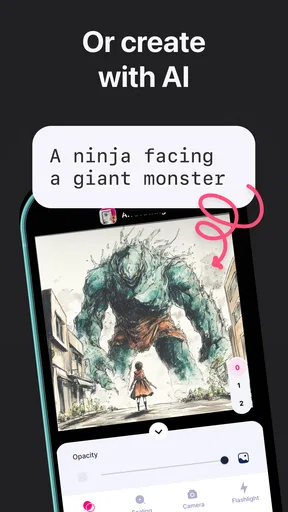
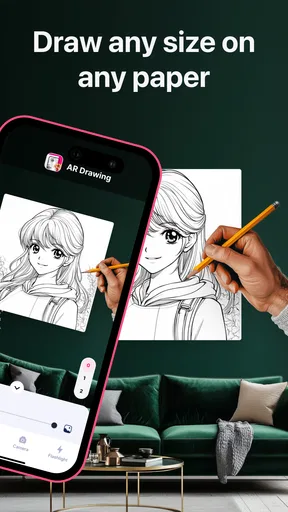
Our Review of AR Drawing: Sketch & Paint
 Analysis by Appyee
Picture this: you’re sitting at your desk, staring at a blank canvas, and your mind is buzzing with a million creative ideas. But there’s a hitch—you’re not quite sure how to bring them to life. Enter AR Drawing: Sketch & Paint, a nifty little app that’s here to bridge the gap between imagination and reality. I’ve had the pleasure of playing around with this app, and let me tell you, it’s a game-changer for anyone looking to dive into the world of digital drawing.
Unleashing Creativity with Augmented Reality
First things first, let’s talk about what makes AR Drawing: Sketch & Paint stand out from the crowd. As the name suggests, this app leverages the power of augmented reality to bring your sketches to life. How cool is that? You can literally see your drawings float in mid-air, giving you a whole new perspective on your artwork.
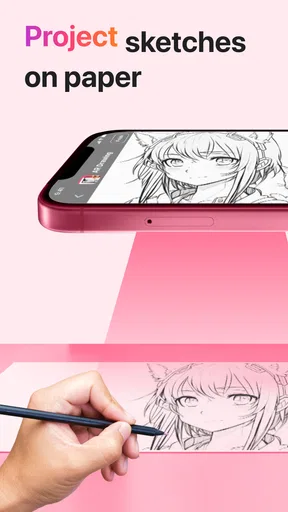
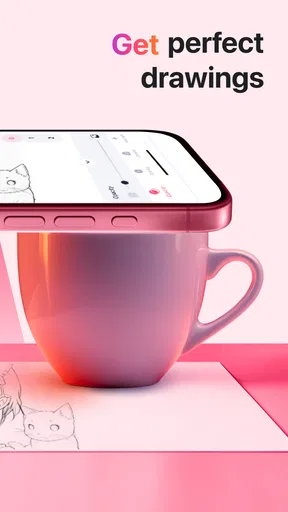
The way it works is pretty straightforward. You simply open the app, point your device at a flat surface, and voila—you’ve got yourself a digital canvas. The app lets you trace over images or create freehand sketches, all in 3D space. It’s like having a holographic sketchbook right in your living room.
Features That Spark Joy
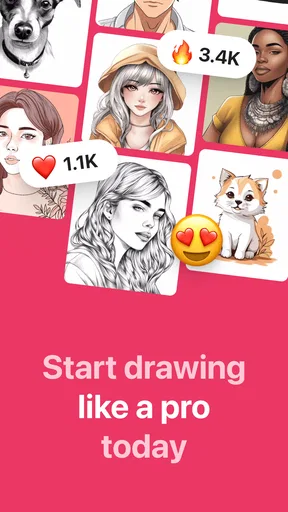
One of the features I absolutely adore is the app’s ability to import images. You can take a photo or select one from your gallery and use it as a template for your sketch. This is particularly handy for beginners who might need a little guidance as they hone their drawing skills.
Another neat feature is the variety of brushes and colors available. Whether you’re into fine lines or bold strokes, AR Drawing: Sketch & Paint has got you covered. The color palette is extensive, allowing you to mix and match hues until you find the perfect shade for your masterpiece.
Intuitive and User-Friendly
I’ve tried quite a few drawing apps in my time, and I must say, this one is impressively intuitive. The interface is clean and user-friendly, making it easy for both newbies and seasoned artists to navigate. The controls are responsive, and the AR feature works smoothly, without any annoying lag or glitches.
One thing I appreciate is the app’s tutorial section. It offers step-by-step guides that walk you through various techniques and features. So, if you’re feeling a bit lost, there’s no need to panic—the app’s got your back.
Sharing Your Creations
Once you’ve finished your artwork, sharing it with the world is a breeze. The app allows you to save your drawings or share them directly on social media platforms. You can even export your work in high resolution, which is a huge plus if you’re planning to print your designs or use them for professional projects.
For those who love a bit of community interaction, the app also features an online gallery. You can browse other users’ creations, leave comments, and get inspired by the diverse range of art styles on display.
A Few Little Quirks
Of course, no app is without its quirks. While I thoroughly enjoyed my experience, there were a couple of minor hiccups worth mentioning. Occasionally, the AR feature can be a bit finicky with lighting conditions, so make sure you’re in a well-lit area for the best results.
Additionally, while the app is free to download, there are some in-app purchases for additional brushes and features. It’s not a deal-breaker by any means, but something to keep in mind if you’re planning to dive deep into all the app has to offer.
Final Thoughts
All in all, AR Drawing: Sketch & Paint is a fantastic tool for anyone looking to explore their artistic side. Whether you’re a seasoned artist or a complete beginner, this app provides a unique and engaging way to create stunning digital art. The augmented reality feature adds an exciting dimension to the drawing experience, making it feel fresh and innovative.
If you’re ready to transform your creative ideas into reality, I’d definitely recommend giving this app a go. It’s fun, intuitive, and packed with features that’ll keep you coming back for more. Happy sketching!
Privacy and Permissions
See what permissions an app requests and how it handles your data.
- Photos/Media/Files
- read the contents of your USB storage, modify or delete the contents of your USB storage
- Storage
- read the contents of your USB storage, modify or delete the contents of your USB storage
- Camera
- take pictures and videos
- Microphone
- record audio
- Wi-Fi connection information
- view Wi-Fi connections
- Other
- view network connections, full network access, control vibration, prevent device from sleeping, Google Play license check
Verdict
Strengths of AR Drawing: Sketch & Paint
- Easy-to-use interface for beginners.
- Wide variety of templates available.
- Offers realistic drawing tools.
- Supports both 2D and 3D projects.
- Includes step-by-step tutorials.
Limitations of AR Drawing: Sketch & Paint
- Limited free content options.
- Some ads can be intrusive.
- Requires a stable internet connection.
- No offline mode available.
- Advanced tools need in-app purchases.
Similar Picks in This Category
View All
Canva: AI Photo & Video Editor
Canva4.8

PENUP – Drawing-sharing SNS
Samsung Electronics Co., Ltd.4.5

Crafto
Kutumb App4.6

Sketchbook
Sketchbook4.1

ibis Paint X
ibis inc.4.5

Adobe Express: AI Photo, Video
Adobe4.6
Frequently Asked Questions
What is AR Drawing: Sketch & Paint and how does it work?
AR Drawing: Sketch & Paint is an innovative application that uses augmented reality to help users sketch and paint with precision. By projecting an image onto your drawing surface through your device's camera, you can trace or paint over it, making it ideal for both beginners and experienced artists who want to enhance their skills.
Is AR Drawing: Sketch & Paint suitable for beginners?
Yes, AR Drawing: Sketch & Paint is designed to be user-friendly, making it perfect for beginners. With its intuitive interface and step-by-step guides, users can easily learn the basics of sketching and painting. The app provides various tools and templates to help new artists build confidence and improve their techniques.
Can I use AR Drawing: Sketch & Paint on both Android and iOS devices?
Absolutely! AR Drawing: Sketch & Paint is available for both Android and iOS platforms. You can download it from the Google Play Store or the Apple App Store. Ensure your device supports augmented reality features to fully enjoy the app's capabilities and enhance your creative projects.
What features does AR Drawing: Sketch & Paint offer?
AR Drawing: Sketch & Paint offers a range of features including customizable brushes, layers, and color palettes. It also provides a library of templates and the ability to import your own images for tracing. The app’s AR capabilities allow artists to project their designs onto any surface, making drawing and painting more accessible and fun.
Are there any in-app purchases or subscriptions in AR Drawing: Sketch & Paint?
While AR Drawing: Sketch & Paint is free to download, it does offer in-app purchases that enhance the user experience. These purchases may include additional templates, brushes, and advanced features. Users can choose to subscribe for full access or purchase items individually, depending on their artistic needs and preferences.
